🎙️
Record Audio
Capture system audio with a single action. Useful for references, demos, or anything you need to hear again.
⌘ RA tiny, focused capture utility for system audio, screen video, and instant snapshots — living quietly in your menu bar until you need it.
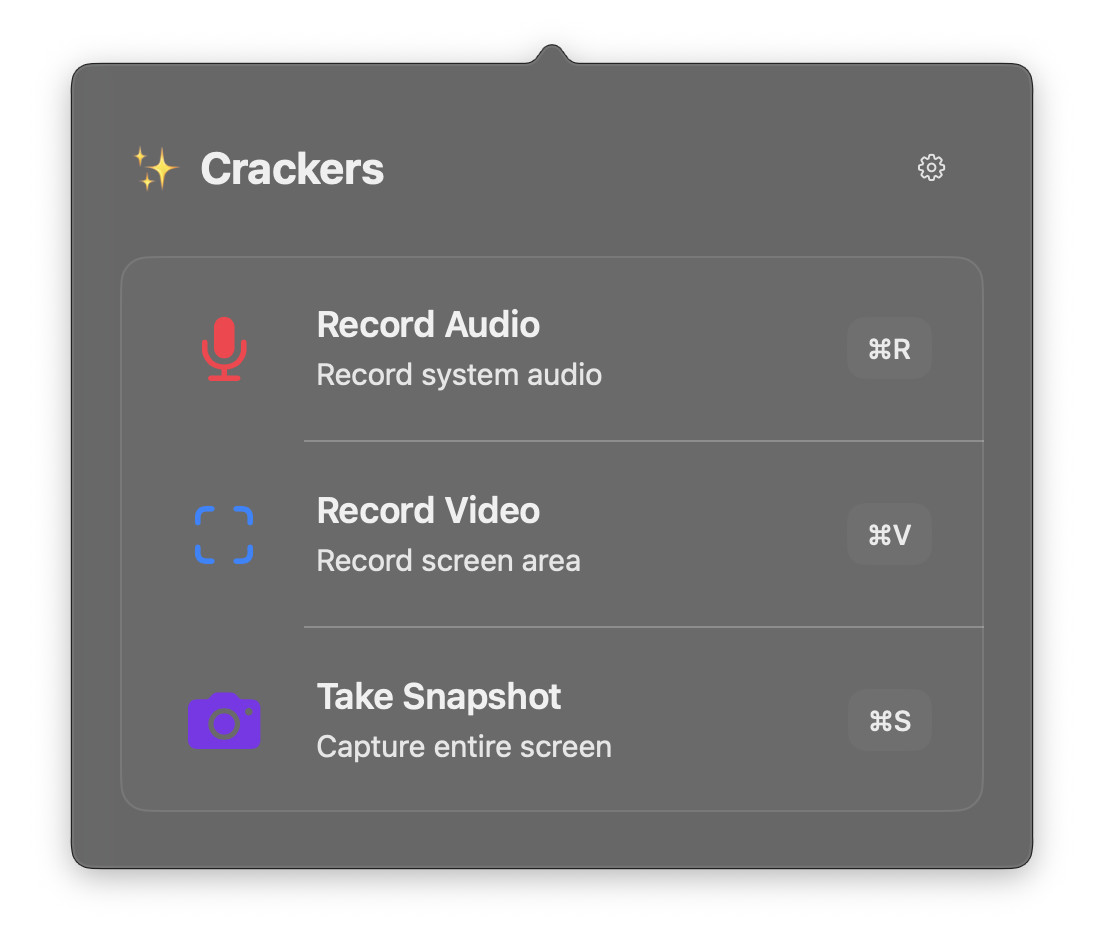
Crackers keeps the essential capture actions in one compact popover, with keyboard shortcuts for the times you do not want to reach for a mouse.
Capture system audio with a single action. Useful for references, demos, or anything you need to hear again.
⌘ RSelect an area of your screen and record it. No timeline, no project setup, no production ceremony.
⌘ VGrab the whole display instantly when speed matters more than configuration.
⌘ SCrackers is an experimental utility, not a giant capture suite. Expect a deliberately narrow feature set and the occasional rough edge. It has been tested on ARM Macs and macOS 27; your mileage on other setups may vary.
This is experimental software. Back up anything important, expect changes, and grant macOS capture permissions only if you are comfortable doing so.
↓ Download Crackers Pre-Alpha